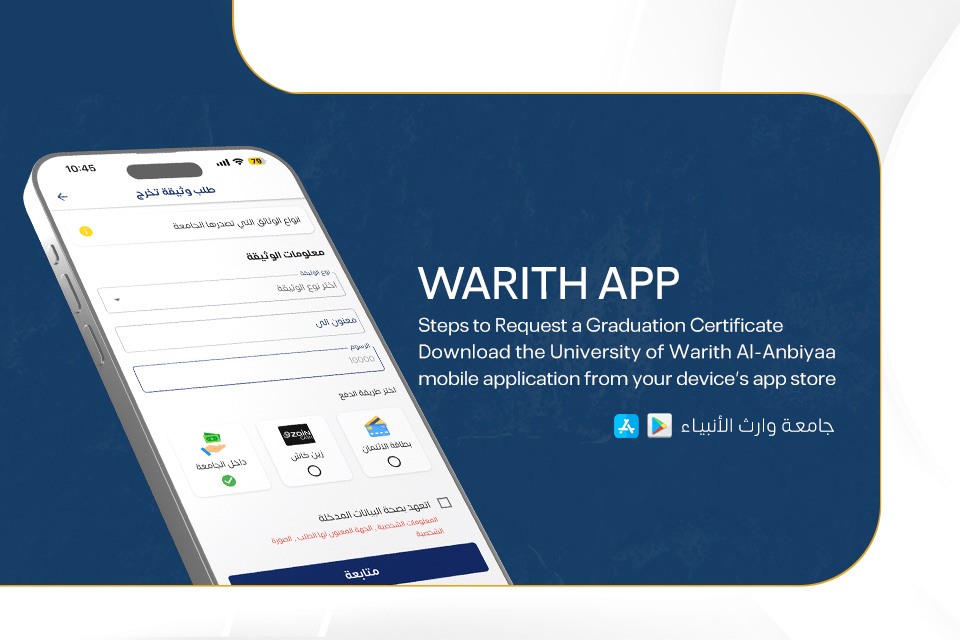


Steps to Request a Graduation Certificate
. Download the University of Warith Al-Anbiyaa mobile application from your device's app store
. Open the app and select Account
. Sign in using your university account credentials
. Navigate to Graduate Documents
. Select Request Certificate, then choose the certificate type and delivery destination
. Select one of the available electronic payment methods
. Once you have chosen your preferred payment method, tap Continue to complete the payment process
Download the app:
- Apple devices: Download here
- Android devices: Download here